How Much Does a Squarespace Website Cost? What You’re Really Paying For
“How much does a website cost?”
It sounds like a simple question, doesn’t it?
Asking how much a Squarespace website costs is a bit like walking into a builder’s office and saying, “How much for a house?” The unsatisfying answer is… “it depends”.
Are we talking about a one-bedroom cabin?
A suburban semi?
A full-on McMansion?
Websites work the same way.
And most business owners don’t realize that until they’re already knee-deep in templates, plugins, and domain settings.
So let’s talk honestly about what a Squarespace website really costs — in dollars, time, and mental energy — and how to choose the right approach for your business.
Table of Contents
Why Talking About Cost Matters
Back in 2008, during one of the worst recessions in decades, a pool company was on the brink of collapse.
Their customers kept asking one question:
“How much does a pool cost?”
Instead of dodging it, the owner published a detailed article breaking down every expense — excavation, materials, maintenance, permits, everything.
That article didn’t hurt their sales. It saved the company AND it turned them into an industry leader.
Because people don’t avoid investing… They avoid uncertainty.
And that’s exactly what happens with websites.
So let’s remove the mystery, so you can feel confident in your investment.
The Three Ways You Pay for a Website: Time, Money, or Energy
When you build a website, you’re going to pay in one of three currencies:
Time
Money
Energy
You only get to keep one. (As with anything, am-i-right?)
1. Paying with Effort (DIY)
You trade evenings, weekends, and brainpower for lower monetary cost.
Squarespace makes this possible. If you’re patient and tech-comfortable, you can absolutely build something functional.
But:
Progress is slower
Learning curves are real
It often takes longer than expected
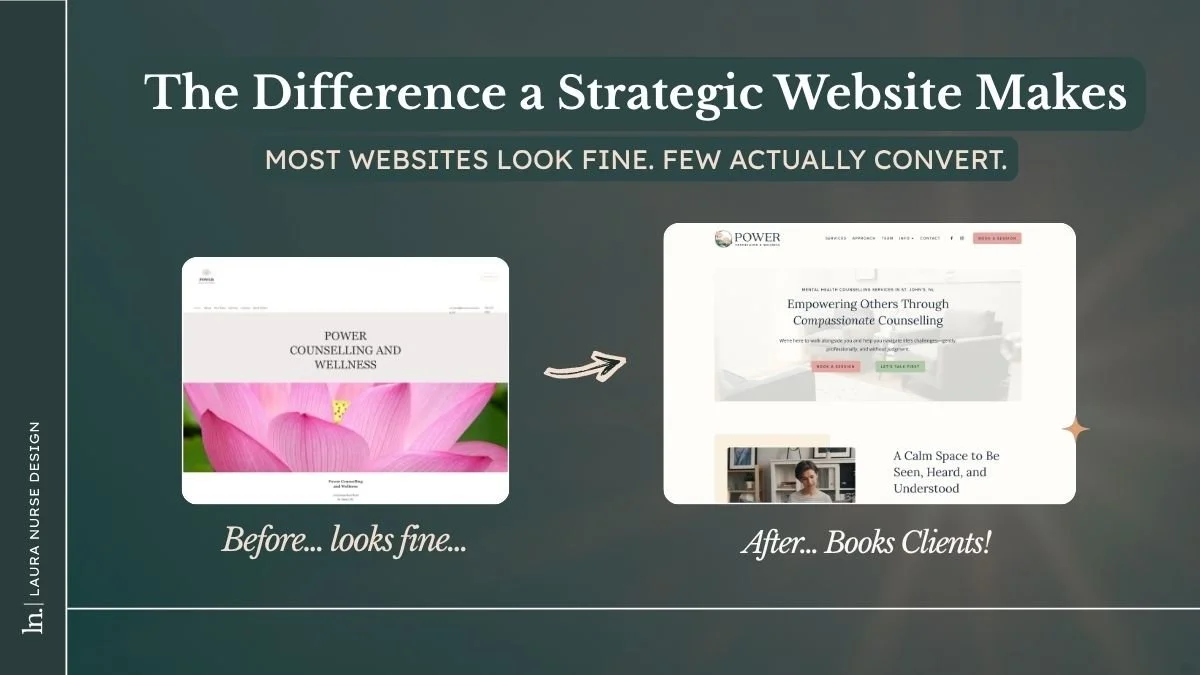
The result may look “fine” but not strategic
Many DIY sites end up feeling more like a personal project than a business asset.
2. Paying with Money (Full Service)
This is the “hire a professional” route.
You’re paying for:
Strategy
Structure
Accessibility
SEO foundations
Conversion-focused layout
Clean systems
You’re not buying pixels.
You’re buying standards and experience.
You’re buying back your time/energy.
And you’re buying peace of mind.
3. Paying with Time (Hybrid)
This is the middle path.
You do some of the work.
You outsource some of the work.
You manage the process.
You save money.
But you spend mental energy coordinating, learning, and troubleshooting.
For many small business owners, this is the sweet spot — if it’s structured well.
What You Get at Different Price Points
Just like houses come in different sizes and finishes, websites come in tiers.
Let’s break them down.
DIY / Template Build ($300-$1,000)
This includes:
Your Squarespace annual subscription
A template and any stock photos/videos and plugins you might need
Your own labour and time
What you get:
A live website
Basic functionality
Limited customization
Slower progress
This works best if:
You’re early-stage
You have time to learn
You’re comfortable experimenting
Your website isn’t mission-critical yet
It’s affordable.
It’s accessible.
It’s a fantastic starting point for new businesses who recognize it’s rarely optimal long-term.
Template-Based / Semi-Custom Build ($3,000–$8,000)
This is where most established cash-flowing service businesses land, ime.
Typically includes:
A professional setup
Template customization
Strategic page structure
SEO foundations
Styling and branding support
You start with a solid framework and bring in expert help to elevate it.
You avoid months of frustration.
You get professional polish without full custom pricing.
For many businesses, this is the best ROI tier.
Full Fat Custom Build ($8,000+)
This is full-service, strategic development from the wireframes up.
It includes:
Custom structure
Systems integration
CRM and booking tools
Funnel planning
Deep SEO setup
Scalable architecture
You’re hiring a team or senior expert.
You’re investing in infrastructure.
You’re building something designed to support growth.
Think of it like this:
You can rent.
You can renovate.
Or you can build.
Each option works, the best choice for you depends on your goals and stage of business.
The Hidden and Ongoing Costs of a Website
💡 A website is not a “set it and forget it” project. 💡
It’s more like a digital property. And property needs maintenance.
Expect ongoing costs such as:
Hosting and platform fees
Domain renewals
Software updates
Security monitoring
Minor improvements
Content updates
For most businesses, that works out to roughly: $500–$2,000 per year
You should also plan for a redesign or refresh every 3–5 years as your business evolves.
Why this matters:
Studies consistently show that around 75% of consumers judge a business’s credibility based on website design.
Updates aren’t vanity. They’re insurance.
Why Paying for Expertise Often Pays Off
Good web design isn’t about “decorating the internet”. It’s about business performance.
A professional build means better technical performance:
Faster load times
Better mobile experience
Clear navigation
Accessible layouts
SEO-friendly structure
Strong, clear calls to action
Which then affects business performance and whether someone:
Trusts you
Contacts you
Books you
Buys from you
If even one good client finds you through your site and books — your website often pays for itself.
That’s smart math.
How to Plan Your Website Budget
(A Simple Framework)
Before you start building, take 15 minutes and do this:
1. List Your Must-Haves
What pages, forms, booking tools, integrations, downloads, blog, shop, etc. do you need?
2. Be Honest About Your Capacity
Do you realistically have time to DIY this? AND do it well?
Not “in theory.” In real life.
3. Set a Realistic Budget
Based on your revenue, growth goals, and priorities.
4. Choose Your Approach
DIY
Hybrid
Full Service
No shame in any option… just trade-offs.
5. Budget for Maintenance
Plan yearly upkeep from day one. Future-you will be grateful.
Your Website Is Infrastructure, Not Decor
Your website is not just something you “have.”
It’s:
Your digital storefront
Your first impression
Your sales assistant
Your credibility builder
Your 24/7 employee
There is no “right” price. There is only the right investment for where your business is right now.
When you understand what you’re paying for, you can choose confidently, instead of guessing and hoping.
Want Help Choosing the Right Path?
If you’re unsure whether DIY, hybrid, or full-service makes sense for you, I can help you map it out clearly (and quickly).
You don’t need more opinions.
You need a plan.
👉 Book a clarity call at: lauranurse.com/book-a-call